Mastering Kubernetes Pod Scheduling: A Complete Guide to Affinity, Anti-Affinity, and Node Placement

When running applications in Kubernetes, controlling where your pods are scheduled is crucial for high availability, performance, and cost optimization. In this comprehensive guide, we’ll explore the various mechanisms Kubernetes provides to control pod placement across nodes and availability zones.
Why Pod Scheduling Matters
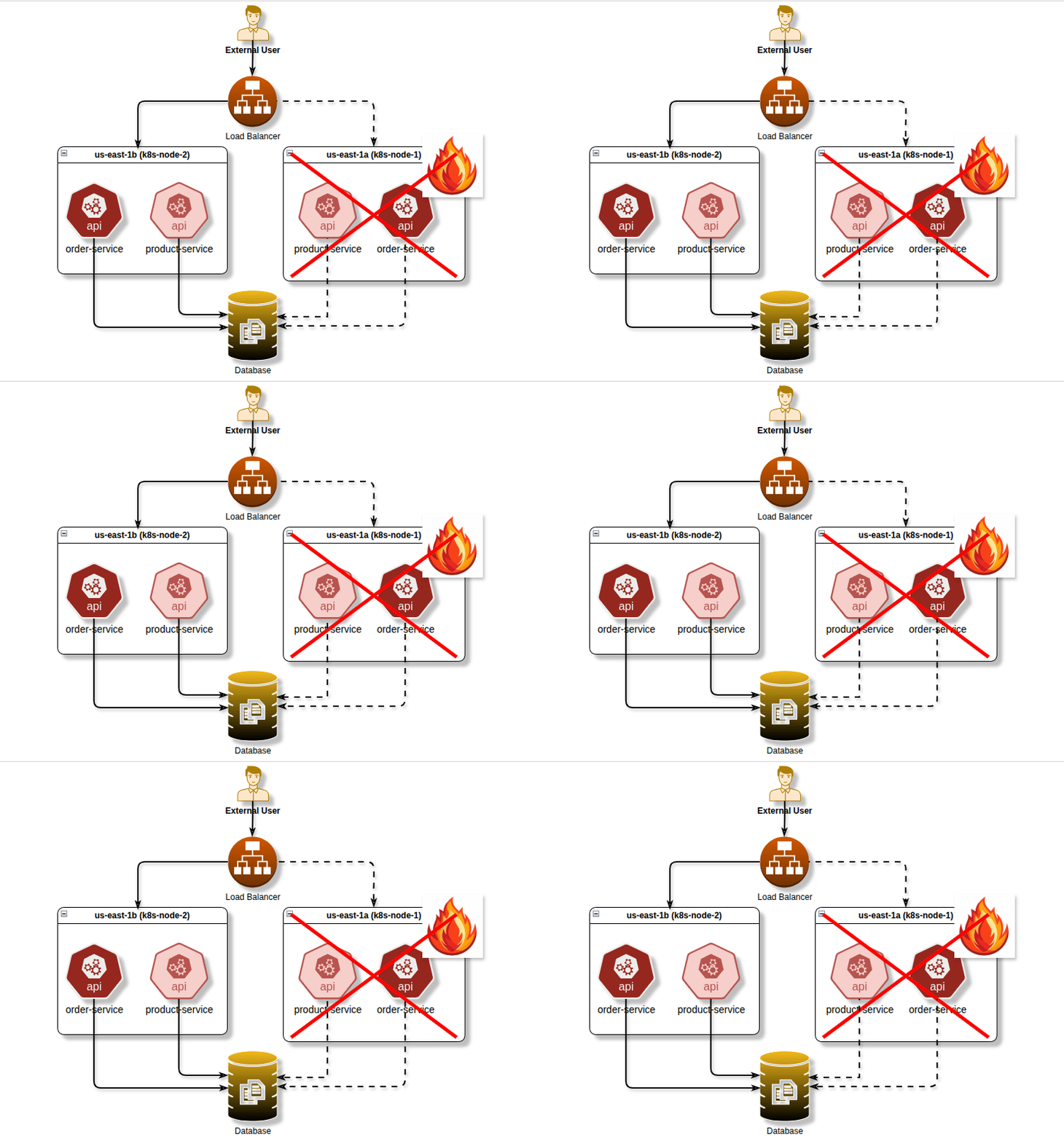
Before diving into the technical details, let’s understand why pod scheduling control is essential. Imagine you’re running a critical application with multiple replicas. If all replicas end up on the same node or availability zone, a single infrastructure failure could take down your entire application. Conversely, some workloads benefit from being co-located to reduce latency or share resources efficiently.
Node Selectors: The Simple Approach
Node selectors are the simplest way to constrain pods to specific nodes. They work by matching node labels with pod specifications.
Basic Example
apiVersion: v1
kind: Pod
metadata:
  name: nginx-pod
spec:
  nodeSelector:
    disktype: ssd
    zone: us-east-1a
  containers:
  - name: nginx
    image: nginx
In this example, the pod will only be scheduled on nodes that have both labels disktype=ssd and zone=us-east-1a. Node selectors are straightforward but limited—they only support exact matches and don’t offer the flexibility of more advanced scheduling rules.
When to Use Node Selectors
Node selectors work well for simple use cases like ensuring pods run on nodes with specific hardware (GPUs, SSDs) or in particular availability zones. However, for more complex scheduling requirements, you’ll need node affinity or pod affinity/anti-affinity.
Node Affinity: Enhanced Node Selection
Node affinity is a more expressive version of node selectors. It allows you to specify rules using operators like In, NotIn, Exists, DoesNotExist, Gt, and Lt.
Types of Node Affinity
Node affinity comes in two flavors:
requiredDuringSchedulingIgnoredDuringExecution: Hard requirement that must be met
preferredDuringSchedulingIgnoredDuringExecution: Soft preference that the scheduler tries to satisfy
Example Configuration
apiVersion: v1
kind: Pod
metadata:
  name: with-node-affinity
spec:
  affinity:
    nodeAffinity:
      requiredDuringSchedulingIgnoredDuringExecution:
        nodeSelectorTerms:
        - matchExpressions:
          - key: topology.kubernetes.io/zone
            operator: In
            values:
            - us-east-1a
            - us-east-1b
      preferredDuringSchedulingIgnoredDuringExecution:
      - weight: 1
        preference:
          matchExpressions:
          - key: instance-type
            operator: In
            values:
            - m5.large
            - m5.xlarge
  containers:
  - name: app
    image: myapp:latest
This configuration requires the pod to be scheduled in either us-east-1a or us-east-1b, and prefers (but doesn’t require) m5.large or m5.xlarge instance types.
Pod Affinity: Co-location Strategies
Pod affinity allows you to specify rules about how pods should be scheduled relative to other pods. This is useful when you want certain pods to run close together.
Use Cases for Pod Affinity
Running a web application close to its cache layer to reduce latency
Co-locating pods that share data to optimize network communication
Grouping related microservices on the same node
Example: Co-locating Pods
apiVersion: apps/v1
kind: Deployment
metadata:
  name: web-server
spec:
  replicas: 3
  selector:
    matchLabels:
      app: web
  template:
    metadata:
      labels:
        app: web
    spec:
      affinity:
        podAffinity:
          requiredDuringSchedulingIgnoredDuringExecution:
          - labelSelector:
              matchExpressions:
              - key: app
                operator: In
                values:
                - cache
            topologyKey: kubernetes.io/hostname
      containers:
      - name: web
        image: nginx
This configuration ensures web server pods are scheduled on the same nodes as pods with the label app=cache.
Pod Anti-Affinity: High Availability and Fault Tolerance
Pod anti-affinity is arguably one of the most important scheduling features for production workloads. It ensures pods are spread across different nodes or availability zones, preventing single points of failure.
Spreading Pods Across Nodes
apiVersion: apps/v1
kind: Deployment
metadata:
  name: web-app
spec:
  replicas: 3
  selector:
    matchLabels:
      app: web
  template:
    metadata:
      labels:
        app: web
    spec:
      affinity:
        podAntiAffinity:
          requiredDuringSchedulingIgnoredDuringExecution:
          - labelSelector:
              matchExpressions:
              - key: app
                operator: In
                values:
                - web
            topologyKey: kubernetes.io/hostname
      containers:
      - name: web
        image: myapp:latest
This ensures no two pods with the label app=web run on the same node, distributing your application across multiple hosts.
Spreading Pods Across Availability Zones
For true high availability, spread your pods across availability zones:
apiVersion: apps/v1
kind: Deployment
metadata:
  name: critical-app
spec:
  replicas: 3
  selector:
    matchLabels:
      app: critical
  template:
    metadata:
      labels:
        app: critical
    spec:
      affinity:
        podAntiAffinity:
          requiredDuringSchedulingIgnoredDuringExecution:
          - labelSelector:
              matchExpressions:
              - key: app
                operator: In
                values:
                - critical
            topologyKey: topology.kubernetes.io/zone
      containers:
      - name: app
        image: critical-app:v1
By using topology.kubernetes.io/zone as the topology key, this configuration spreads pods across different availability zones, protecting against zone-level failures.
Topology Spread Constraints: Fine-Grained Control
Introduced in Kubernetes 1.16 and stable since 1.19, topology spread constraints provide even more granular control over pod distribution.
Even Distribution Example
apiVersion: apps/v1
kind: Deployment
metadata:
  name: balanced-app
spec:
  replicas: 6
  selector:
    matchLabels:
      app: balanced
  template:
    metadata:
      labels:
        app: balanced
    spec:
      topologySpreadConstraints:
      - maxSkew: 1
        topologyKey: topology.kubernetes.io/zone
        whenUnsatisfiable: DoNotSchedule
        labelSelector:
          matchLabels:
            app: balanced
      - maxSkew: 1
        topologyKey: kubernetes.io/hostname
        whenUnsatisfiable: ScheduleAnyway
        labelSelector:
          matchLabels:
            app: balanced
      containers:
      - name: app
        image: balanced-app:latest
This configuration ensures pods are evenly distributed across both availability zones and nodes, with a maximum skew of 1 pod between any two zones.
Taints and Tolerations: Keeping Pods Away
While not strictly an affinity mechanism, taints and tolerations work in the opposite direction — they allow nodes to repel pods unless those pods have matching tolerations.
Example Use Case
# First, taint a node (command line)
# kubectl taint nodes node1 gpu=true:NoSchedule
# Then create a pod with matching toleration
apiVersion: v1
kind: Pod
metadata:
name: gpu-pod
spec:
tolerations:
- key: “gpu”
operator: “Equal”
value: “true”
effect: “NoSchedule”
containers:
- name: gpu-app
image: gpu-workload:latestThis ensures only pods that explicitly tolerate the GPU taint can be scheduled on GPU nodes, preventing regular workloads from consuming expensive resources.
Real-World Multi-AZ Deployment Strategy
Let’s put it all together with a production-ready example that combines multiple concepts:
apiVersion: apps/v1
kind: Deployment
metadata:
  name: production-api
spec:
  replicas: 6
  selector:
    matchLabels:
      app: api
      tier: production
  template:
    metadata:
      labels:
        app: api
        tier: production
    spec:
      affinity:
        # Spread across availability zones
        podAntiAffinity:
          requiredDuringSchedulingIgnoredDuringExecution:
          - labelSelector:
              matchExpressions:
              - key: app
                operator: In
                values:
                - api
            topologyKey: topology.kubernetes.io/zone
          # Try to avoid same node, but not required
          preferredDuringSchedulingIgnoredDuringExecution:
          - weight: 100
            podAffinityTerm:
              labelSelector:
                matchExpressions:
                - key: app
                  operator: In
                  values:
                  - api
              topologyKey: kubernetes.io/hostname
        # Prefer nodes in specific zones
        nodeAffinity:
          preferredDuringSchedulingIgnoredDuringExecution:
          - weight: 1
            preference:
              matchExpressions:
              - key: topology.kubernetes.io/zone
                operator: In
                values:
                - us-east-1a
                - us-east-1b
                - us-east-1c
      topologySpreadConstraints:
      - maxSkew: 1
        topologyKey: topology.kubernetes.io/zone
        whenUnsatisfiable: DoNotSchedule
        labelSelector:
          matchLabels:
            app: api
      containers:
      - name: api
        image: api-server:v2.1
        resources:
          requests:
            memory: “256Mi”
            cpu: “250m”
          limits:
            memory: “512Mi”
            cpu: “500m”
Best Practices and Considerations
Performance Implications
Using multiple scheduling constraints can increase the time it takes for the scheduler to find suitable nodes. For large clusters with complex rules, consider the scheduler’s performance impact.
Required vs. Preferred
Use required rules sparingly. If your required rules are too strict, pods may become unschedulable. Combine hard requirements with soft preferences for better flexibility.
Testing Your Configuration
Always test your scheduling rules in a development environment. Use kubectl describe pod to see scheduling events and understand why pods were placed where they are or why they failed to schedule.
Monitoring and Observability
Monitor your pod distribution across nodes and zones. Tools like Kubernetes dashboard, Prometheus with kube-state-metrics, or cloud provider monitoring can help visualize pod placement.
Common Pitfalls to Avoid
Over-constraining: Setting too many required rules can make pods unschedulable
Ignoring resource requests: Affinity rules don’t override resource requirements
Forgetting about PersistentVolumes: Some volumes are zone-specific and can conflict with anti-affinity rules
Not testing failure scenarios: Ensure your setup actually provides the high availability you expect
Conclusion
Kubernetes provides a rich set of tools for controlling pod scheduling, from simple node selectors to sophisticated topology spread constraints. Understanding these mechanisms allows you to build resilient, performant applications that can survive infrastructure failures while optimizing resource usage.
Start with simple node selectors for basic use cases, then graduate to pod anti-affinity for high availability across availability zones. Combine these with topology spread constraints for fine-grained control, and you’ll have a robust scheduling strategy that meets your application’s needs.
Remember, the goal isn’t to use every feature available, but to choose the right combination of scheduling controls that balance availability, performance, and operational simplicity for your specific workload.