Stop Building Chatbots. Start Building AI Agents That Actually Work.

The landscape of artificial intelligence is rapidly evolving beyond simple chatbots and question-answering systems. Enter AI agents — autonomous systems that can perceive their environment, make decisions, and take actions to achieve specific goals. In this blog series, we’ll explore how to build these intelligent agents using the Agno framework.
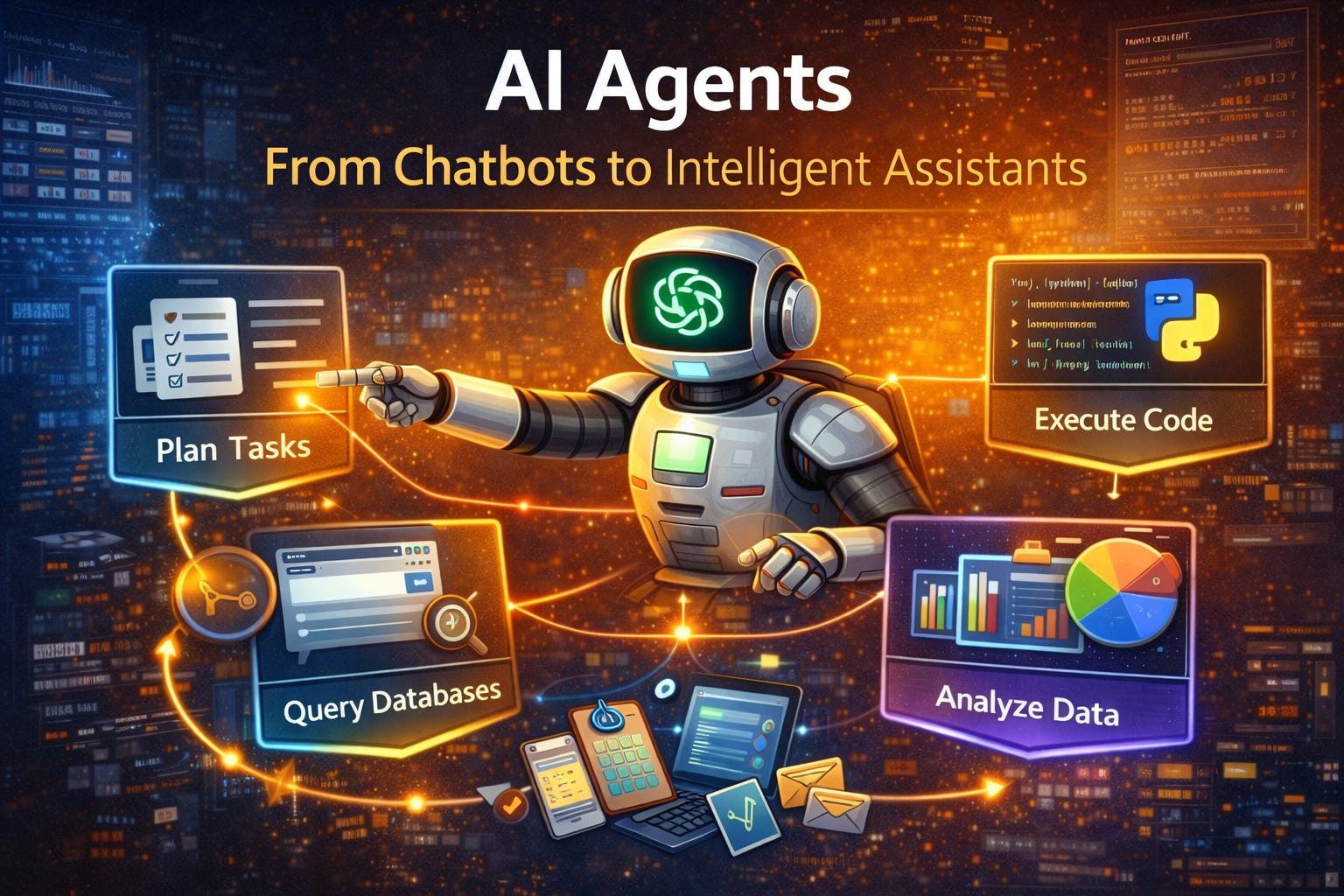
What Are AI Agents?
AI agents are systems that go beyond passive information retrieval. Unlike traditional AI applications that simply respond to queries, agents can:
Plan and execute multi-step tasks autonomously
Use tools like web search, calculators, APIs, and databases
Maintain context across conversations and actions
Make decisions based on changing circumstances
Learn from feedback to improve over time
Think of an AI agent as a digital assistant that doesn’t just answer questions but actively helps you accomplish tasks — booking appointments, analyzing data, managing workflows, or even writing and deploying code.
Real-Time Example: Building a Data Analysis Agent
Let’s build something practical — a data analysis agent that can actually manipulate, analyze, and visualize data autonomously:
from agno import Agent
from agno.tools import PythonTool, FileSystemTool
import pandas as pd

# Create an agent with Python execution and file access
agent = Agent(
    model=”gpt-4”,
    tools=[PythonTool(), FileSystemTool()],
    instructions=”“”You are a data analyst. You can:
    - Read and write files (CSV, Excel, JSON)
    - Perform statistical analysis using pandas and numpy
    - Create visualizations with matplotlib and seaborn
    - Execute Python code to solve data problems
    - Save results and reports”“”
)

# Give the agent a real analytical task
task = “”“
I have a sales_data.csv file with columns: date, product, revenue, region, quantity.

Please analyze this data:
1. Load the CSV and show basic statistics
2. Calculate total revenue by region and product
3. Find the top 5 products by revenue
4. Identify any sales trends over time
5. Create visualizations:
   - Bar chart of revenue by region
   - Line chart showing sales trends
   - Pie chart of top products
6. Save all charts as PNG files
7. Generate a summary report with key insights
“”“
response = agent.run(task)
What happens behind the scenes (real computational work):
Step 1: Planning Phase
The agent doesn’t just respond with text — it breaks down the task into executable steps:
Parse the requirements
Determine which tools to use
Plan the sequence of operations
Step 2: Data Loading and Exploration
# Agent writes and executes this code:
import pandas as pd
import numpy as np
import matplotlib.pyplot as plt
import seaborn as sns

# Load the data
df = pd.read_csv(’sales_data.csv’)

# Basic exploration
print(f”Dataset shape: {df.shape}”)
print(f”\nColumn types:\n{df.dtypes}”)
print(f”\nMissing values:\n{df.isnull().sum()}”)
print(f”\nBasic statistics:\n{df.describe()}”)

# Convert date column
df[’date’] = pd.to_datetime(df[’date’])
Step 3: Data Analysis
# Agent performs calculations
# 1. Revenue by region
revenue_by_region = df.groupby(’region’)[’revenue’].sum().sort_values(ascending=False)
print(”\nRevenue by Region:”)
print(revenue_by_region)

# 2. Revenue by product
revenue_by_product = df.groupby(’product’)[’revenue’].sum().sort_values(ascending=False)
top_5_products = revenue_by_product.head(5)
print(”\nTop 5 Products:”)
print(top_5_products)

# 3. Sales trends over time
df[’month’] = df[’date’].dt.to_period(’M’)
monthly_sales = df.groupby(’month’)[’revenue’].sum()
print(”\nMonthly Sales Trend:”)
print(monthly_sales)

# 4. Growth rate calculation
growth_rate = monthly_sales.pct_change().mean() * 100
print(f”\nAverage monthly growth rate: {growth_rate:.2f}%”)
Step 4: Visualization Creation
# Agent creates multiple visualizations

# Chart 1: Revenue by Region
plt.figure(figsize=(10, 6))
revenue_by_region.plot(kind=’bar’, color=’steelblue’)
plt.title(’Revenue by Region’, fontsize=16)
plt.xlabel(’Region’)
plt.ylabel(’Revenue ($)’)
plt.xticks(rotation=45)
plt.tight_layout()
plt.savefig(’revenue_by_region.png’, dpi=300)
plt.close()

# Chart 2: Sales Trend Over Time
plt.figure(figsize=(12, 6))
monthly_sales.plot(kind=’line’, marker=’o’, color=’green’, linewidth=2)
plt.title(’Monthly Sales Trend’, fontsize=16)
plt.xlabel(’Month’)
plt.ylabel(’Revenue ($)’)
plt.grid(True, alpha=0.3)
plt.tight_layout()
plt.savefig(’sales_trend.png’, dpi=300)
plt.close()

# Chart 3: Top Products Pie Chart
plt.figure(figsize=(10, 8))
plt.pie(top_5_products, labels=top_5_products.index, autopct=’%1.1f%%’, startangle=90)
plt.title(’Top 5 Products by Revenue Share’, fontsize=16)
plt.tight_layout()
plt.savefig(’top_products.png’, dpi=300)
plt.close()
Step 5: Insight Generation and Reporting
# Agent analyzes results and creates report
report = f”“”
DATA ANALYSIS REPORT
Generated: {pd.Timestamp.now()}

DATASET OVERVIEW:
- Total Records: {len(df):,}
- Date Range: {df[’date’].min()} to {df[’date’].max()}
- Total Revenue: ${df[’revenue’].sum():,.2f}
- Average Order Value: ${df[’revenue’].mean():.2f}

KEY FINDINGS:

1. REGIONAL PERFORMANCE:
{revenue_by_region.to_string()}

Top Region: {revenue_by_region.index[0]} (${revenue_by_region.iloc[0]:,.2f})
Lowest Region: {revenue_by_region.index[-1]} (${revenue_by_region.iloc[-1]:,.2f})

2. BEST SELLING PRODUCTS:
{top_5_products.to_string()}

3. SALES TRENDS:
- Average Monthly Growth: {growth_rate:.2f}%
- Trend: {’Growing’ if growth_rate > 0 else ‘Declining’}
- Strongest Month: {monthly_sales.idxmax()}
- Weakest Month: {monthly_sales.idxmin()}

4. INSIGHTS & RECOMMENDATIONS:
- Focus marketing efforts on {revenue_by_region.index[0]} region
- Consider discontinuing low-performing products
- Investigate factors behind best month performance
- Address declining regions with targeted campaigns

VISUALIZATIONS GENERATED:
✓ revenue_by_region.png
✓ sales_trend.png
✓ top_products.png
“”“

# Save report
with open(’analysis_report.txt’, ‘w’) as f:
    f.write(report)
print(report)
The Result
The agent delivers:
✅ 3 professional visualization files (PNG)
✅ A comprehensive text report with insights
✅ Actual calculations and statistics
✅ Actionable recommendations
What Makes This “Agentic”
Autonomous Execution: You didn’t write any code — the agent did
Tool Orchestration: It coordinated Python execution, file I/O, and data analysis libraries
Contextual Decision-Making: It chose appropriate chart types and statistical methods
Multi-Step Workflow: It executed a complex sequence of operations
Real Output: It produced actual files, not just descriptions
This is fundamentally different from traditional AI. You’re not getting code suggestions or explanations — you’re getting completed analytical work with deliverable assets.
Why Agno Framework?
Agno is a modern Python framework designed specifically for building agentic AI applications. It provides a clean, intuitive API that makes it easy to create sophisticated agents without getting bogged down in boilerplate code. Let’s explore what makes Agno powerful and why it’s becoming the go-to choice for developers building AI agents.
Core Philosophy
Simplicity First: Agno embraces a minimalist design philosophy. You can create a functional agent in just a few lines of code, yet scale to complex multi-agent systems when needed. No unnecessary abstractions, no steep learning curves.
Tool-Centric Architecture: The framework provides seamless integration with various tools and APIs, allowing your agents to interact with the real world — from searching the web to executing code, querying databases, or managing cloud infrastructure.
Flexibility: Whether you’re using OpenAI, Anthropic, Google, or other LLM providers, Agno supports multiple backends and gives you complete control over how your agents think and act.
Production Ready: Built with real-world applications in mind, Agno includes features like streaming responses, error handling, structured outputs, and monitoring that you need for production systems.
Agno Framework Features Deep Dive
1. Multi-Model Support
Agno isn’t locked into a single LLM provider. You can easily switch between models or even use different models for different agents:
from agno import Agent

# Use OpenAI’s GPT-5
agent1 = Agent(model=”gpt-5”, tools=[...])

# Use Anthropic’s Claude
agent2 = Agent(model=”sonnet-4.5”, tools=[...])

# Use Google’s Gemini
agent3 = Agent(model=”gemini-pro”, tools=[...])

# Even use local models
agent4 = Agent(model=”llama-2-70b”, tools=[...])
This flexibility means you can:
Choose the best model for each specific task
Avoid vendor lock-in
Test and compare different models
Use cost-effective models for simple tasks and powerful models for complex ones
2. Built-in Tool System
Agno comes with a rich ecosystem of pre-built tools and makes it easy to create custom ones:
Pre-built Tools:
from agno.tools import (
    WebSearchTool,      # Search the internet
    PythonTool,         # Execute Python code
    FileSystemTool,     # Read/write files
    DatabaseTool,       # Query databases
    APICallerTool,      # Call REST APIs
    ShellTool,          # Execute shell commands
    EmailTool,          # Send emails
    SlackTool,          # Slack integration
    GitHubTool,         # GitHub operations
    DockerTool,         # Container management
    KubernetesTool      # K8s orchestration
)
Custom Tool Creation:
from agno.tools import Tool

class WeatherTool(Tool):
    name = “get_weather”
    description = “Get current weather for a location”

    def execute(self, location: str) -> dict:
        # Your custom logic
        api_response = requests.get(f”https://api.weather.com/{location}”)
        return api_response.json()

# Use it in your agent
agent = Agent(
    model=”gpt-5”,
    tools=[WeatherTool()]
)
3. Streaming and Real-Time Responses
For better user experience, Agno supports streaming responses:
agent = Agent(model=”gpt-5”, tools=[...])

# Stream responses token by token
for chunk in agent.run_stream(”Analyze this dataset...”):
    print(chunk, end=”“, flush=True)
This is crucial for:
Providing immediate feedback to users
Building responsive chat interfaces
Monitoring long-running agent tasks
Debugging agent reasoning in real-time
4. Memory and Context Management
Agents need to remember previous interactions. Agno provides sophisticated memory systems:
from agno import Agent
from agno.memory import ConversationMemory, VectorMemory

# Simple conversation memory
agent = Agent(
    model=”gpt-5”,
    memory=ConversationMemory(max_turns=10)
)

# Vector-based semantic memory for RAG
agent = Agent(
    model=”gpt-5”,
    memory=VectorMemory(
        embedding_model=”text-embedding-ada-002”,
        vector_store=”pinecone”
    )
)
Memory types:
Conversation Memory: Stores recent chat history
Vector Memory: Semantic search over past interactions
Entity Memory: Tracks entities and their relationships
Summary Memory: Maintains compressed summaries of long conversations
5. Structured Outputs
Get responses in exactly the format you need:
from agno import Agent
from pydantic import BaseModel

class AnalysisResult(BaseModel):
    total_revenue: float
    top_product: str
    growth_rate: float
    recommendations: list[str]

agent = Agent(
    model=”gpt-5”,
    tools=[PythonTool()],
    output_schema=AnalysisResult
)

# Agent returns structured data
result = agent.run(”Analyze sales_data.csv”)
print(f”Revenue: ${result.total_revenue:,.2f}”)
print(f”Top Product: {result.top_product}”)
6. Multi-Agent Collaboration
Build systems where multiple agents work together:
from agno import Agent, AgentTeam

# Create specialized agents
researcher = Agent(
    name=”researcher”,
    model=”gpt-5”,
    tools=[WebSearchTool()],
    instructions=”You research topics thoroughly”
)

analyst = Agent(
    name=”analyst”,
    model=”gpt-5”,
    tools=[PythonTool()],
    instructions=”You analyze data and find patterns”
)

writer = Agent(
    name=”writer”,
    model=”gpt-5”,
    instructions=”You write clear, engaging reports”
)

# Create a team
team = AgentTeam(
    agents=[researcher, analyst, writer],
    workflow=”sequential”  # or “parallel” or “hierarchical”
)

# Team collaborates on task
result = team.run(”“”
Research the EV market, analyze the data,
and write a 10-page report
“”“)
7. Error Handling and Retry Logic
Production systems need robust error handling:
agent = Agent(
    model=”gpt-5”,
    tools=[APICallerTool()],
    retry_config={
        “max_attempts”: 3,
        “backoff_factor”: 2,
        “retry_on”: [TimeoutError, ConnectionError]
    },
    error_handler=custom_error_handler
)
8. Observability and Monitoring
Track what your agents are doing:
from agno.monitoring import AgentMonitor

monitor = AgentMonitor(
    log_to=”file”,  # or “cloudwatch”, “datadog”, etc.
    track_costs=True,
    track_latency=True
)

agent = Agent(
    model=”gpt-5”,
    tools=[...],
    monitor=monitor
)

# After running
print(f”Total cost: ${monitor.total_cost}”)
print(f”Average latency: {monitor.avg_latency}ms”)
print(f”Tool usage: {monitor.tool_stats}”)
9. Agent Planning and Reasoning
Control how agents think and plan:
agent = Agent(
    model=”gpt-5”,
    tools=[...],
    planning_mode=”react”,  # or “plan-and-execute”, “tree-of-thought”
    max_iterations=10,
    reasoning_strategy=”chain-of-thought”
)
Planning modes:
ReAct: Reason and Act iteratively
Plan-and-Execute: Plan all steps first, then execute
Tree-of-Thought: Explore multiple reasoning paths
Reflexion: Self-reflect and improve
10. Async and Parallel Execution
For performance, run agents asynchronously:
import asyncio
from agno import Agent

agent = Agent(model=”gpt-5”, tools=[...])

# Async execution
async def process_multiple():
    tasks = [
        agent.run_async(”Analyze dataset 1”),
        agent.run_async(”Analyze dataset 2”),
        agent.run_async(”Analyze dataset 3”)
    ]
    results = await asyncio.gather(*tasks)
    return results

# Run in parallel
results = asyncio.run(process_multiple())
11. Security and Sandboxing
Execute code safely:
from agno.tools import PythonTool

agent = Agent(
    model=”gpt-5”,
    tools=[
        PythonTool(
            sandbox=True,          # Run in isolated environment
            timeout=30,            # Kill after 30 seconds
            allowed_imports=[      # Whitelist imports
                “pandas”, “numpy”, “matplotlib”
            ],
            max_memory=”1GB”       # Memory limit
        )
    ]
)
12. Integration with Popular Frameworks
Agno plays well with other tools:
# LangChain compatibility
from langchain.tools import Tool as LCTool
agno_agent.add_tool(Tool.from_langchain(lc_tool))

# LlamaIndex integration
from llama_index import VectorStoreIndex
agno_agent.add_knowledge_base(VectorStoreIndex.from_documents(docs))

# Gradio/Streamlit UI
import gradio as gr
gr.ChatInterface(lambda msg: agent.run(msg)).launch()
Real-World Use Cases
Here are practical examples of AI agents doing real computational and system work with Agno:
1. Financial Data Analysis Pipeline
from agno import Agent
from agno.tools import PythonTool, DatabaseTool, EmailTool

financial_agent = Agent(
    model=”gpt-5”,
    tools=[PythonTool(), DatabaseTool(), EmailTool()],
    instructions=”Analyze financial data and generate reports”
)

# Automated quarterly analysis
financial_agent.run(”“”
1. Query Q4 financial data from PostgreSQL database
2. Calculate key metrics: revenue, profit margin, burn rate
3. Compare with Q3 and same quarter last year
4. Identify unusual transactions (>$100K)
5. Create Excel report with pivot tables
6. Generate executive summary with visualizations
7. Email report to CFO and board members
“”“)
Real work performed:
SQL queries to extract financial records
Pandas calculations for metrics
Statistical analysis for anomaly detection
Excel file generation with openpyxl
Chart creation with matplotlib
Automated email distribution
2. DevOps Automation Agent
from agno import Agent
from agno.tools import ShellTool, DockerTool, SlackTool

devops_agent = Agent(
    model=”gpt-5”,
    tools=[ShellTool(), DockerTool(), SlackTool()],
    instructions=”Manage infrastructure and deployments”
)

# Continuous deployment
devops_agent.run(”“”
Monitor the main branch. When new commits arrive:
- Run test suite
- Build Docker images if tests pass
- Push to container registry
- Deploy to staging with health checks
- Run integration tests
- If all pass, deploy to production with zero downtime
- Notify team on Slack
“”“)
Actual operations:
Git operations to detect changes
Running pytest/jest test suites
Docker build and push commands
Kubernetes deployment updates
Health endpoint monitoring
Load balancer configuration
3. E-commerce Inventory Optimizer
from agno import Agent
from agno.tools import DatabaseTool, APICallerTool, FileSystemTool

inventory_agent = Agent(
    model=”gpt-5”,
    tools=[DatabaseTool(), APICallerTool(), FileSystemTool()],
    instructions=”Optimize inventory levels and prevent stockouts”
)

# Daily inventory management
inventory_agent.run(”“”
Check all warehouse inventory levels:
- Identify products below reorder point
- Calculate optimal order quantities using EOQ formula
- Check supplier availability via API
- Place purchase orders automatically
- Balance stock between warehouses
- Update forecasting models with recent sales data
“”“)
Computational work:
SQL aggregations across warehouse data
Economic Order Quantity calculations
REST API calls to supplier systems
Database updates for orders
Time series forecasting with statsmodels
4. Customer Support Automation
from agno import Agent
from agno.tools import DatabaseTool, EmailTool, TicketSystemTool

support_agent = Agent(
    model=”gpt-5”,
    tools=[DatabaseTool(), EmailTool(), TicketSystemTool()],
    instructions=”Handle customer inquiries efficiently”
)

# Automated support handling
support_agent.run(”“”
Monitor support email inbox:
- Categorize incoming requests (refund, technical, shipping)
- For refunds: Check order status, process if eligible
- For technical: Search knowledge base, provide solution
- For complex issues: Create ticket and assign to specialist
- Send response emails with tracking numbers
- Update CRM with all interactions
“”“)
Real actions:
Email parsing and classification
Database lookups for customer orders
Payment gateway API calls for refunds
Zendesk/Jira ticket creation
Automated email responses
The Agentic AI Paradigm Shift
Traditional AI applications follow a request-response pattern: you ask a question, the AI provides an answer. Agentic AI introduces a fundamental shift:
From Reactive to Proactive: Agents don’t just wait for instructions — they can break down complex goals into subtasks and execute them independently.
From Single-Turn to Multi-Turn: Agents maintain state and context, building on previous interactions to accomplish long-running tasks.
From Isolated to Connected: Agents interact with external tools, APIs, and data sources, bridging the gap between language models and the real world.
From Static to Dynamic: Agents can adapt their approach based on feedback, errors, and changing conditions.
What’s Next in This Series
In the upcoming posts, we’ll dive deeper into building practical AI agents with Agno:
Understanding Agent Architecture — How agents think, plan, and execute
Working with Tools — Building and integrating custom tools for your agents
Multi-Agent Systems — Coordinating multiple agents to solve complex problems
Memory and Context — Making agents that remember and learn
Production Deployment — Taking your agents from prototype to production
Advanced Patterns — ReAct, Plan-and-Execute, Tree-of-Thought reasoning
Security and Safety — Building secure, reliable agent systems
Getting Started
Ready to build your first AI agent? Here’s how to get started with Agno:
# Install Agno
pip install agno

# Install optional dependencies
pip install agno[all]  # All tools and integrations
You’ll also need an API key from your preferred LLM provider (OpenAI, Anthropic, etc.):
import os
from agno import Agent

# Set your API key
os.environ[’OPENAI_API_KEY’] = ‘your-key-here’

# Create your first agent
agent = Agent(
    model=”gpt-5”,
    instructions=”You are a helpful assistant”
)

# Start using it
response = agent.run(”Help me analyze my sales data”)
print(response)
Best Practices for Building Agents
As you start building with Agno, keep these principles in mind:
Start Simple: Begin with a single-purpose agent before building complex systems
Clear Instructions: Write specific, detailed instructions for your agents
Tool Selection: Choose tools that match your agent’s responsibilities
Error Handling: Always implement robust error handling and retries
Monitoring: Track your agent’s performance and costs
Testing: Test agents thoroughly with various scenarios
Sandboxing: Use sandboxed environments for code execution
Iterative Development: Start with basic functionality and gradually add complexity
Conclusion
We’re at the beginning of a new era in AI development. As language models become more capable, the real innovation lies in how we orchestrate them to accomplish complex, real-world tasks. AI agents represent the next evolution — systems that can truly assist us in meaningful ways.
The Agno framework makes this technology accessible to developers of all levels. Whether you’re building a simple automation or a complex multi-agent system, Agno provides the tools you need to bring agentic AI to life.
From data analysis to DevOps automation, from inventory management to customer support, AI agents are transforming how we work. With Agno’s comprehensive feature set — multi-model support, rich tool ecosystem, memory management, structured outputs, and production-ready deployment options — you have everything you need to build powerful, reliable agents.
In the next post, we’ll roll up our sleeves and dive deeper into agent architecture, exploring the different reasoning strategies and how to choose the right approach for your use case.
Ready to build your first AI agent? Install Agno today and start experimenting. What will you build?